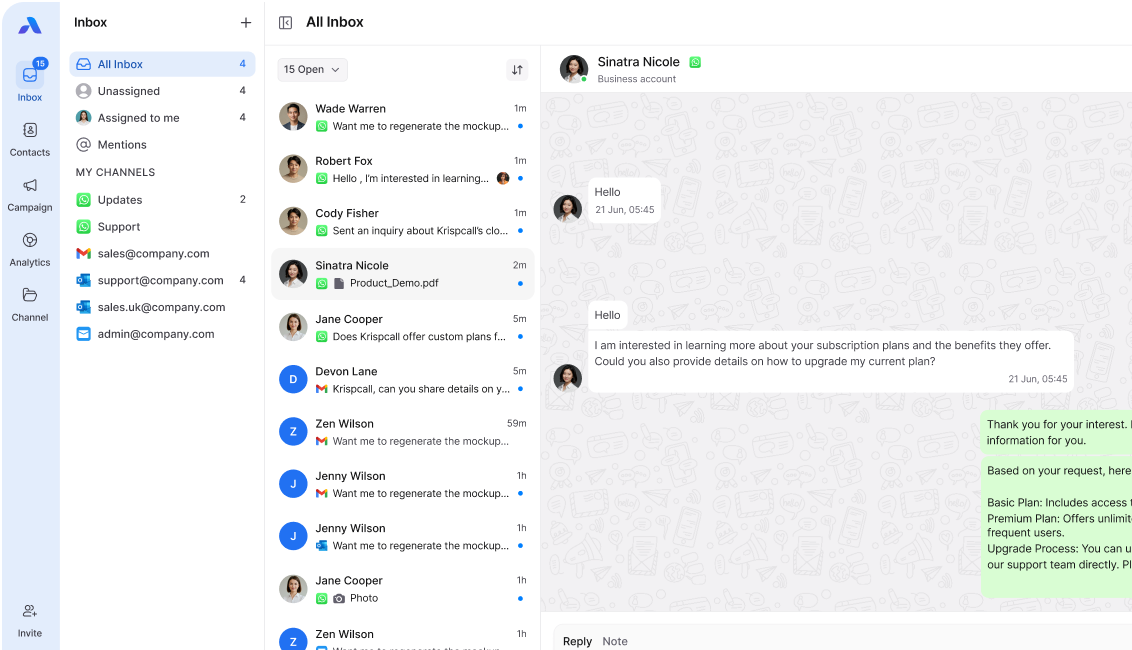
In today’s fast-moving world, customers expect support to be fast, personal, and seamless across channels. WhatsApp has become a go-to platform for customer support because it’s familiar, easy to use, and available anytime.
But here’s the challenge: when customers move between WhatsApp, email, live chat, or phone calls, agents often lose the conversation history. This leads to repeated explanations, frustrated customers, and slower resolution times.
So, how can businesses use WhatsApp for customer support without losing context? Let’s break it down.
Why WhatsApp matters for customer support
- 2.8B+ users worldwide → Customers are already on WhatsApp.
- Real-time communication → Instant replies make customers feel heard.
- Rich media support → Share images, documents, videos, and links easily.
- Personal touch → Conversations feel natural, like chatting with a friend.
When integrated properly, WhatsApp can transform into a powerful support channel.
The problem: Losing context across conversations
Imagine this: A customer first chats with your bot on WhatsApp, then follows up via email, and later calls the support line. If your agents don’t have the full history, customers end up repeating themselves.
This creates:
- Longer handling times
- Frustrated customers
- Lower first-contact resolution
- Missed opportunities for personalization
That’s why context continuity is crucial in customer support.
How to keep context when using WhatsApp for support
1. Connect WhatsApp with your omnichannel inbox
Instead of treating WhatsApp as a standalone tool, integrate it into an omnichannel inbox. This gives your agents one place to view and manage conversations from WhatsApp, email, chat, and social media.
👉 Result: Agents see the full customer journey without switching apps.
2. Sync WhatsApp with your CRM
By integrating WhatsApp into your CRM, every interaction—messages, files, call notes—is automatically logged under the customer’s profile.
👉 Result: Agents always have the full picture, including past purchases, support tickets, and preferences.
3. Use chatbots for initial queries (with smooth handover)
Automated replies and chatbots are great for handling FAQs and routine tasks. But the key is context transfer when escalating to a live agent.
👉 Result: The agent takes over with full visibility of what the bot already handled, avoiding repetition.
4. Personalize with customer history
When WhatsApp is connected to your customer database, agents can personalize responses using the customer’s name, recent orders, or past issues.
👉 Result: Customers feel recognized, not like they’re starting from scratch every time.
5. Train agents to use conversation continuity
Technology is powerful, but agent behavior matters too. Train your team to reference past chats when replying on WhatsApp.
👉 Example:
“Hi Sarah, I see you reached out yesterday about your order #1421. Let me update you on that.”
Best practices for WhatsApp customer support
- Always get customer opt-in before starting conversations.
- Keep messages short, friendly, and professional.
- Offer quick replies and templates for faster resolution.
- Use media (images, PDFs, links) to make solutions clearer.
- Always provide an option to escalate to a live human when needed.
Final Thoughts
WhatsApp is one of the best tools for customer support—but only when used with context. By integrating it with your omnichannel inbox, CRM, and automation tools, businesses can ensure that customers never have to repeat themselves.