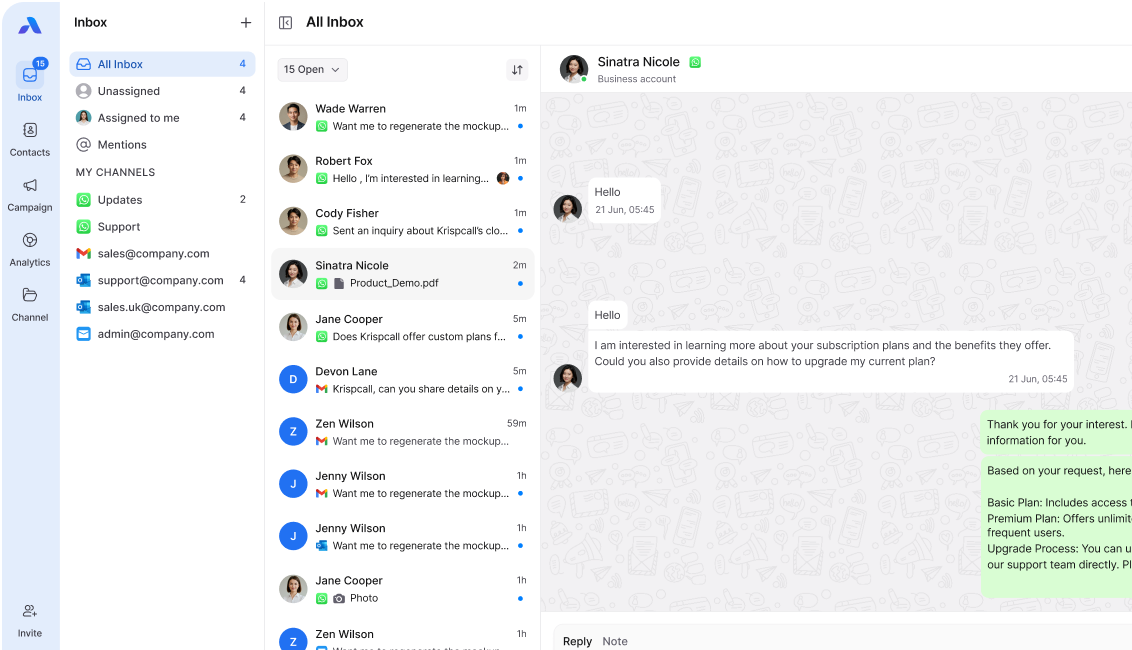
For many teams, email is both a lifeline and a source of stress. The constant stream of messages, long threads, and multiple accounts can quickly lead to email overload, slowing response times and reducing productivity.
A unified inbox can change all that. By bringing all your messages from different accounts and channels into a single platform, teams can manage communication more efficiently and never miss a critical message.
This blog explains what a unified inbox is, why it matters, and how it helps reduce email overload.
What is a unified inbox?
A unified inbox is a central platform that consolidates all incoming messages from multiple email accounts, live chats, social media, and messaging apps into one workspace.
Instead of checking Gmail, Outlook, Slack, and WhatsApp separately, agents and team members can:
- See all messages in a single view
- Assign and track conversations
- Use automation to prioritize and route emails
- Collaborate on responses without leaving the inbox
For teams handling large volumes of communication, this makes managing emails far simpler.
Why email overload happens
Email overload occurs when teams are bombarded with too many messages, including:
- Internal emails and CC threads
- Customer queries across multiple accounts
- Spam or unimportant notifications
- Follow-ups and reminders
The result is slower response times, missed messages, and employee burnout.
How a unified inbox reduces email overload
1. Consolidation of all accounts
A unified inbox brings all email accounts together, so team members don’t need to switch between multiple platforms.
Impact: Less context switching, faster replies, and reduced frustration.
2. Automated sorting and tagging
Modern unified inboxes can automatically label, tag, and prioritize emails based on sender, subject, or keywords.
Impact: Urgent messages are highlighted, and routine notifications are filtered out.
3. Assigning and sharing emails
Teams can assign emails to the right person and track who is handling each conversation.
Impact: Reduces duplication, ensures accountability, and prevents emails from falling through the cracks.
4. Integration with other channels
Many unified inboxes connect with live chat, social media, and messaging apps, so conversations from multiple channels are visible in one place.
Impact: No more lost context when a customer switches from email to chat or social media.
5. Automation and templates
Quick replies, canned responses, and automation workflows allow teams to handle repetitive queries efficiently.
Impact: Speeds up response times and frees agents to focus on complex issues.
Benefits of a unified inbox
- Improved productivity: Fewer distractions, faster replies.
- Better collaboration: Teams can see and manage messages collectively.
- Reduced errors: No lost emails or duplicated responses.
- Enhanced customer experience: Faster, more accurate responses build trust.
- Lower stress: Less mental load on employees managing multiple accounts.
Best practices for using a unified inbox
- Consolidate only relevant accounts to avoid clutter.
- Use tags and folders consistently for easy navigation.
- Enable automation for repetitive tasks like order confirmations or FAQs.
- Train agents on assigning, escalating, and following up on emails.
- Monitor analytics to optimize response times and workload distribution.
Final Thoughts
Email overload doesn’t have to slow your team down. A unified inbox not only simplifies communication but also improves collaboration, efficiency, and customer satisfaction.