The Cost of Missing Emails
Missing important emails costs businesses money, customers, and reputation. Every day, critical messages slip through:
- Customer questions go unanswered
- Sales leads disappear
- Urgent requests get buried
- Opportunities vanish
The question is: How to avoid missing emails when your inbox is overwhelming?
Good news: Simple changes and the right tools can fix this problem. Let’s explore proven ways to catch every important message.
Why Do Teams Miss Emails?

Understanding the problem helps fix it:
Too many messages:
- Hundreds of emails daily
- Can’t keep up with volume
- Important ones get buried
- Spam and noise everywhere
Multiple email accounts:
- Personal and work emails
- Different team addresses
- Various platforms to check
- Easy to overlook accounts
Shared email chaos:
- Everyone assumes someone replied
- No clear ownership
- Poor visibility across the team
- Duplicate or zero responses
Poor organization:
- Messy inbox with no system
- No priority labeling
- Missing filters or rules
- Reactive instead of proactive
How to avoid missing emails starts with recognizing these patterns.
Simple Ways to Avoid Missing Emails
Set Up Email Filters and Rules
Organize automatically:
- Create folders for different types
- Flag priority senders
- Auto-label by topic or client
- Move spam away instantly
Benefits:
- Important emails stand out
- Less clutter to sort through
- Faster response times
- Nothing gets lost in noise
Use Email Notifications Wisely

Smart alerts help:
- Enable for VIP contacts only
- Set up keyword alerts
- Use different sounds for urgent emails
- Turn off non-essential notifications
Balance is key:
- Too many alerts = ignore all
- Too few alerts = miss important ones
- Customize for your needs
Check Email at Set Times
Create a schedule:
- Morning, noon, and afternoon checks
- Dedicated time for responses
- Not constantly distracted
- More focused work time
Why this helps:
- Systematic approach catches everything
- Less stress from constant checking
- Better team collaboration on timing
- Improved response times overall
Create a Priority System
Know what matters:
- Flag customer emails immediately
- Mark urgent requests clearly
- Separate leads from newsletters
- Address high-value contacts first
Use labels or stars:
- Red for urgent
- Yellow for follow-up needed
- Green for completed
- Clear visual system
Advanced Solutions: Tools That Help You Avoid Missing Emails
Unified Inbox Platforms
Centralize everything:
- All email accounts in one place
- Single dashboard to monitor
- Unified messaging across platforms
- See every message instantly
How to avoid missing emails with a unified inbox:
- No switching between accounts
- Complete visibility
- Nothing falls through cracks
- Team can collaborate better
Email Management Software
Smart features include:
- Auto-assignment to team members
- Status tracking (new, open, resolved)
- Collision detection (who’s replying)
- Internal notes for context
Business benefits:
- Clear ownership of each email
- Track response times easily
- Measure team performance
- Scale support smoothly
Automated Email Reminders
Set follow-up alerts:
- Remind if no response is received
- Flag emails needing action
- Track pending replies
- Never forget to follow up
Saving time while staying organized:
- Automation handles tracking
- Focus on responding, not remembering
- Consistent follow-through
Integration with Other Tools
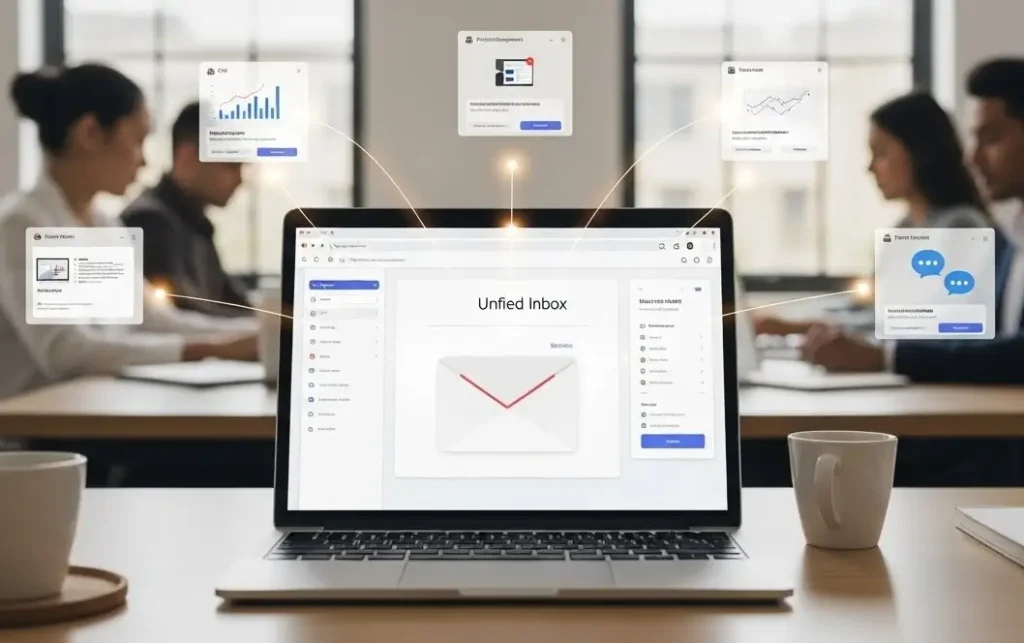
Connect your systems:
- Link email with CRM
- Sync with project management
- Connect to team chat
- Unified communications across tools
Result:
- Complete customer context
- All info in one view
- Customized experience for clients
- Better team collaboration
How Airchannel Helps Teams Avoid Missing Emails
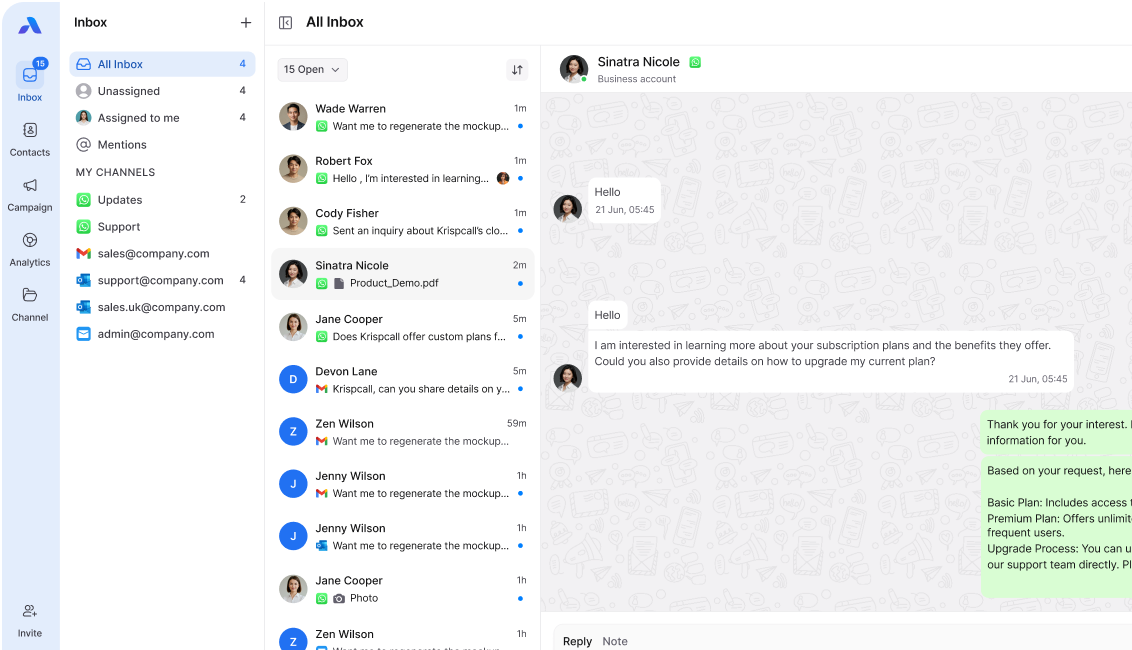
Airchannel’s unified inbox solves the missing email problem:
Complete visibility:
- All email accounts are centralized
- Team shares access to everything
- Real-time updates for everyone
- Nothing gets overlooked
Smart organization:
- Auto-assign emails to team members
- Clear ownership and tracking
- Priority flagging built-in
- Status updates automatic
Team collaboration features:
- See who’s handling what
- Internal notes for context
- Tag teammates when needed
- Prevent duplicate responses
Beyond email:
- Handle chat and social messages too
- All customer communication is unified
- Works as a mini CRM
- Complete unified communications platform
How to avoid missing emails? Use Airchannel to centralize and organize everything.
Common Mistakes to Avoid
Don’t do these:
- Keeping thousands of unread emails
- Using the inbox as a to-do list
- Ignoring email organization
- Working without a system
Instead:
- Process emails systematically
- Use proper task management tools
- Organize from the start
- Follow a consistent routine
How to avoid missing emails means building good habits.
Warning Signs You’re Missing Emails
Watch for these:
- Customers complain about no response
- Team members are unaware of requests
- Discovering old unread messages
- Lost sales opportunities
- Poor response times metrics
Take action when:
- Inbox feels overwhelming
- Can’t find important messages
- Team lacks coordination
- Customer satisfaction drops
Time to upgrade your system with better tools and processes.
Never Miss Another Important Email
How to avoid missing emails? Combine smart organization, good habits, and the right tools.
Key takeaways:
- Use filters and priority systems
- Check email systematically
- Centralize with unified inbox
- Enable team collaboration
- Track and improve response times
The difference:
- Traditional email = chaos and missed messages
- Unified communications = nothing slips through
Stop losing opportunities to missed emails.
Stop Missing Important Emails Today
Every missed email is a missed opportunity. Fix it now.
Airchannel Ensures You Never Miss a Message:
✅ All emails in one unified inbox – See everything instantly
✅ Team visibility – Everyone knows what’s happening
✅ Smart assignment – Clear ownership of each email
✅ Priority tracking – Important messages stand out
✅ Real-time alerts – Respond to urgent emails fast
The Results You’ll See:
⏱️ Faster response times – Customers get quick answers
😊 Zero missed opportunities – Every lead captured
📊 Complete tracking – Know your team’s performance
🚀 Better team collaboration – Everyone on same page
💼 Professional communication – Customized experience always
Transform Your Email Management Now
Missing emails costs you money every single day.
How to avoid missing emails? Start with Airchannel’s unified inbox platform.
👉 Try Airchannel.ai Free – Set up in minutes. Never miss another email.
Join successful teams already using Airchannel to catch every message and grow their business through better unified communications.
Your next important email could arrive any minute. Will you see it?