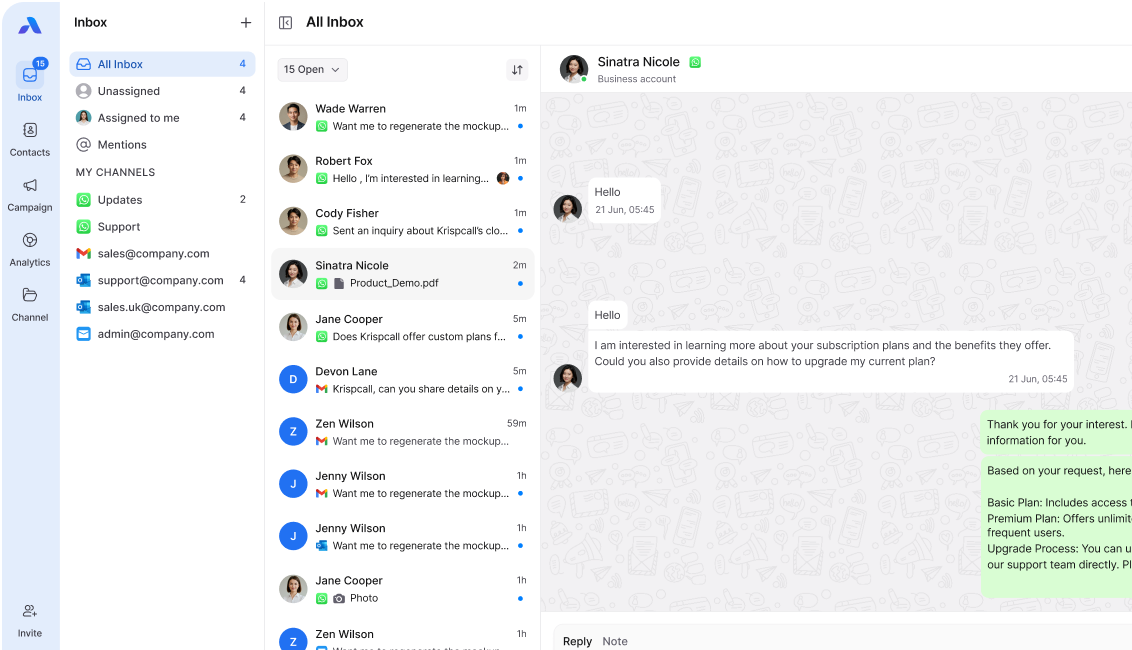
Running a small team often means wearing multiple hats, managing customers, handling operations, and keeping communication flowing. In this fast-paced environment, WhatsApp has become the go-to channel for quick, direct, and reliable messaging.
But managing conversations manually can be overwhelming. That’s where WhatsApp automation comes in, helping small teams respond faster, reduce errors, and deliver professional customer experiences without needing a big contact center setup.
This blog covers the top 10 WhatsApp automation hacks every small team can use to save time, stay productive, and keep customers happy.
What is WhatsApp automation?
WhatsApp automation uses pre-built workflows, chatbots, and integrations to send, receive, and manage messages without constant manual effort. It allows teams to:
- Automate repetitive tasks like greetings, FAQs, and reminders.
- Route customer requests to the right team member.
- Keep conversations professional and consistent.
For small teams, this means scaling customer support and sales without hiring additional staff.
Top 10 WhatsApp Automation Hacks
1. Automated greeting messages
First impressions matter. Configure WhatsApp to send an instant welcome message whenever a customer reaches out. It reassures customers that their message has been received, even outside business hours.
2. Quick replies for FAQs
Set up shortcuts for frequently asked questions like pricing, delivery time, or refund policy. Instead of typing responses over and over, your team can reply with one tap.
3. Auto-routing with labels
Use WhatsApp Business labels (e.g., New Lead, Pending Payment, Support) to auto-assign messages to the right person. This prevents lost leads and ensures faster follow-ups.
4. Away messages during off-hours
Small teams can’t be online 24/7. Use away messages to inform customers about your availability and offer alternatives like FAQs, links, or callback options.
5. Scheduled reminders & alerts
Automate WhatsApp reminders for appointments, order updates, or payment due dates. It reduces no-shows and ensures customers never miss important information.
6. Drip campaigns for leads
Instead of one-off replies, design WhatsApp drip campaigns that automatically send product demos, onboarding tips, or follow-ups over time. Perfect for nurturing leads without manual chasing.
7. Template messages for consistency
Pre-approved WhatsApp templates allow small teams to send professional updates at scale, like confirmations, shipping notifications, or promotions, without reinventing the wheel.
8. CRM integration
Link WhatsApp with your CRM to sync customer data, track conversations, and update records automatically. This ensures every team member has context, avoiding repeated questions.
9. Chatbots for tier-1 support
Deploy a WhatsApp chatbot to handle basic queries (like order status, pricing, store hours) before escalating complex cases to a human agent. This saves time and keeps small teams focused on high-value tasks.
10. Analytics & reporting
Use automation tools that track response times, conversation volume, and customer sentiment. Even a small team can make data-driven improvements with the right insights.
Benefits of WhatsApp automation for small teams
- Faster responses → No more delays in answering common questions.
- Consistent customer experience → Unified tone and message quality.
- Time savings → Reduce repetitive manual work.
- Scalable growth → Handle more conversations without extra hires.
- Improved team productivity → Agents focus on complex issues, not routine replies.
Best practices for WhatsApp automation
- Keep it human, combine automation with personal follow-ups.
- Regularly update FAQs and template messages.
- Segment contacts (e.g., leads, customers, partners) for targeted communication.
- Monitor performance metrics to refine automation.
- Ensure compliance with WhatsApp Business Policy.
Final Thoughts
WhatsApp automation isn’t just for big enterprises, it’s a game-changer for small teams that need to do more with less. By applying these 10 hacks, you can streamline customer communication, improve response times, and free up your team to focus on growth.
👉 Looking to get started? Explore how AirChannel can help small businesses implement WhatsApp automation workflows with ease.